


Here are 5 beginner-friendly SaaS ideas that can realistically reach $1M a year within 2 years, if you stay focused and keep the product simple. $1M a year is about $83K per month in recurring revenue, and it’s not reserved for “genius” founders.
The goal isn’t building the smartest AI, it’s solving one painful problem for one clear customer who’s already paying to fix it. The best saas ideas for beginners usually live in markets where mistakes are expensive, think compliance, quoting errors, legal risk, or wasted labor time.
In this post, you’ll get five proven directions, plus how to build fast with no-code tools and light AI APIs, then charge based on measurable value like hours saved, risk reduced, or errors prevented. You don’t need a perfect app, you need a problem that hurts enough that people will pay to make it stop.
What makes these SaaS ideas work for beginners (and what usually fails)
Beginner-friendly saas ideas don’t win because the product is fancy. They win because the founder picks a problem that already costs real money, ships a tight solution fast, and charges in a way that lines up with value.
A lot of first-time founders fail for predictable reasons: they chase broad audiences, build too many features, and price like a consumer app. If you want a cleaner shot at $1M in two years, the play is boring on purpose: one customer type, one job-to-be-done, one main channel, at least at the start.
 An early-stage founder mapping a clear path to revenue milestones, created with AI.
The 2-year path to $1M: simple math, simple focus
$1M ARR is about $83,333 MRR. That number feels huge until you break it into a few realistic pricing paths.
Here are a few quick scenarios that hit the target without magic:
| Model | Example pricing | Customers needed (MRR) | Why it works |
|---|---|---|---|
| Low-ticket subscription | $35 per month | ~2,500 customers | Strong if you can scale one channel and keep churn low |
| Mid-ticket subscription | $167 per month | ~500 customers | Much more realistic in B2B with a tight niche |
| Usage-based (transactional) | Pay per quote, doc, audit, review | Depends on volume | Great for workflows tied to revenue or deal flow |
The hidden advantage in B2B is that you can hit $1M with fewer customers because your product replaces expensive work (or prevents expensive mistakes). That’s why transactional pricing can be so effective for beginners when the workflow is deal-based:
- $49 per generated quote (for example), times a few hundred quotes a month across customers
- $79 per lease abstraction, billed when firms are actively underwriting deals
- Per-jurisdiction compliance monitoring, priced as “insurance” against lawsuits
If you want a deeper look at the execution mindset, the systems that get beginners to real revenue show up clearly in How to Build SaaS Apps That Reach $100K MRR.
What I learned the hard way: when I tried to start “wide” (too many personas, too many features), everything slowed down. Messaging got fuzzy, demos dragged, and pricing felt awkward. The fastest progress came when I forced one constraint: pick one ICP and one repeatable use case, then sell it through one channel until it works.
For a practical reference on business modeling toward this milestone, Bessemer’s $1M ARR playbook lays out the basics of defining an ICP and matching it to a sales motion.
The “precision beats creativity” rule for picking a niche
For beginners, the safest saas ideas live where being correct matters more than being clever. That usually means regulated industries, document-heavy workflows, and processes where a small mistake turns into a big bill.
Think of it like this: creativity sells attention, but precision sells relief. And relief is what people pay for month after month.
 High-stakes work where accuracy matters more than design flair, created with AI.
This is why compliance automation, quoting tools, and “paperwork painkillers” keep showing up as beginner wins. They’re not trendy, but they’re tied to measurable value:
- Legal violations: one outdated clause in a handbook, policy, or marketing disclaimer can trigger fines, disputes, or settlements. Buyers don’t want “nice copy,” they want defensible copy.
- Pricing errors: in B2B quoting, a wrong configuration or missed requirement can destroy margin or lose the deal. Fixing it later is slow and embarrassing.
- Wasted analyst hours: lease reviews, due diligence, onboarding docs, HR updates, and contract summaries eat hours every week. People already pay for this work, usually in labor or legal fees.
When a workflow is expensive “when done wrong,” you can charge based on time saved, error reduction, and risk avoided, not based on how pretty the UI looks.
A good sign you’re in the right niche is when customers already have a workaround like spreadsheets, templates from three years ago, or a lawyer on speed dial. Your SaaS doesn’t need to be smarter than everyone, it needs to be reliable and specific.
If you want a real-world view of why quoting accuracy is such a persistent pain point, PandaDoc’s overview of CPQ requirements is a solid primer on what teams care about (speed, accuracy, consistency).
5 proven SaaS ideas for beginners that can hit $1M in 2 years
If you’re a beginner, the safest path to $1M is not a “cool” app. It’s a product that removes expensive mistakes from a specific workflow. Think compliance risk, quoting errors, and deal-killing delays. In other words, precision beats creativity, especially in regulated or document-heavy niches where “almost right” is still wrong.
Below are five saas ideas that work because they tie pricing to measurable value like risk reduction, hours saved, and fewer errors. They also share a big advantage: once a team plugs the tool into a real workflow, it’s hard to replace.
 Planning a focused MVP around high-stakes workflows, created with AI.
Compliance marketing copy checker for regulated industries (finance, health, legal)
Marketing teams can generate content in minutes now. The bottleneck is legal review, especially in finance, healthcare, and legal services where a single claim can trigger a complaint, regulator attention, or a lawsuit. Agencies feel this pain daily: speed goes up, but review time stays slow and expensive.
This SaaS flips the script by competing on legally defensible copy, not prettier copy.
What the product does
- Review or generate copy, then check it against a policy library (industry rules, disclaimers, banned phrases, required disclosures).
- Flag risky claims (promises, guarantees, outcomes, comparative claims).
- Suggest compliant rewrites and attach required disclaimers based on channel (landing page, email, paid ad, social).
- Add a simple approval workflow so a compliance lead can sign off.
If you want a live reference point for how this category is already selling, look at platforms like GetGenAI that position compliance as the speed unlock, not a blocker.
MVP build (beginner-friendly) Keep it narrow: one vertical and one channel (example: “financial advisors’ paid ads”).
- No-code front end (Softr or similar) for paste-in text and reports
- A rules and guidance library (your first moat) that stores policies by vertical and channel
- Retrieval plus an AI model to check claims against the library and produce a report
- Basic workflow: Draft, Needs changes, Approved, Archived
Pricing that feels fair (and profitable)
- Per seat for teams (agency model)
- Or per asset (per ad, per email, per landing page section)
Anchor the price to what they already spend: legal time and rework. If your tool saves even a few hours a week, it pays for itself.
Why it’s sticky Compliance is not optional. When a team has an audit trail of approvals and a library of “safe” language, they don’t want to go back.
Employee handbook and HR policy compliance SaaS (state by state updates)
HR compliance is a fear-driven purchase in the most practical way. Employment laws shift constantly, and remote work makes it worse because one company can trigger obligations across multiple states. A single outdated handbook clause can lead to a painful settlement or a drawn-out dispute that costs far more than the software.
This is “recession-resistant” because companies can pause tools that feel nice-to-have. They don’t pause lawsuits.
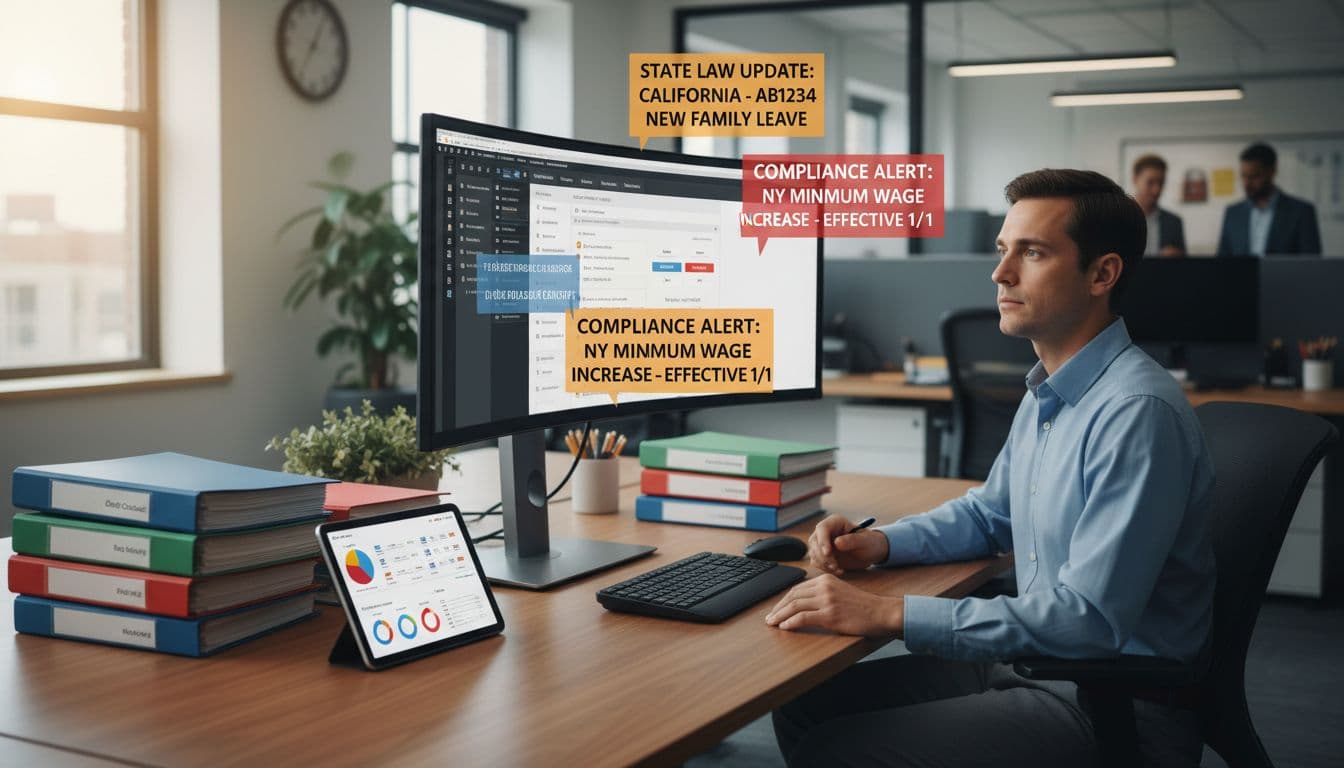 Keeping policies current across states with automated alerts, created with AI.
What the product does
- User enters company details (headcount, industry, remote vs on-site, benefits basics).
- Select the states where they operate.
- The tool generates an audit-ready handbook tailored to those jurisdictions.
- The real value: continuous monitoring. When rules change, the system alerts the customer and pushes updated language so they aren’t running on a 3-year-old template.
For a sense of how messy “required by state” can get, see SixFifty’s state handbook policy breakdown.
MVP build (what you actually need at first)
- A clean intake form and dashboard
- Template library (policies as modular blocks)
- A regulation database (start with a narrow set of states and expand)
- AI synthesis that produces a handbook plus citations/notes to sources
- An alert system that notifies users when a covered state changes a rule
Pricing that matches risk Charge annually per jurisdiction, because “coverage” is the value unit.
- Single-state: lower tier
- Multi-state: mid tier
- Enterprise: includes monitoring depth and support
This model works because a customer’s footprint grows over time. As they add states and headcount, they naturally move up tiers.
Why retention is strong Most companies don’t cancel compliance tools once implemented. The risk and hassle of falling out of date is bigger than the subscription.
B2B RFQ to quote generator for small manufacturers (reduce pricing errors)
Manufacturers live in a painful loop: RFQs arrive as long PDFs, sales ops or engineers manually extract requirements, then someone builds a quote from spreadsheets and tribal knowledge. The result is slow turnaround and mistakes that hit margin or lose deals.
Manual quoting errors can be common in complex B2B scenarios (think configuration rules, compliance requirements, delivery terms). Even a small error rate is expensive because the stakes are high per quote.
 Turning RFQs into structured requirements and accurate quotes, created with AI.
What the product does
- Upload an RFQ PDF (and drawings if needed)
- Extract key requirements (specs, tolerances, delivery dates, compliance notes)
- Map requirements to a structured product catalog
- Validate configuration rules (no incompatible options)
- Generate a quote and export it to PDF (and optionally a CRM)
A measurable outcome example to sell:
- Cut quote turnaround from days to hours
- Reduce error rates (example: from around 15 to 20 percent down to single digits) by enforcing rules and pulling pricing from one source of truth
For category context, here’s how established players describe RFQ workflows: Zoovu RFQ software overview.
MVP build (simple but valuable)
- OCR plus document extraction for RFQs
- A structured catalog database (SKU rules, pricing rules, lead times)
- Workflow dashboard: New RFQ, Needs review, Sent, Won/Lost
- PDF quote output (clean template matters)
Pricing that matches measurable value
- Per quote (great for transactional sales cycles)
- Or monthly with a quote volume cap
This is a perfect “charge for measurable value” product. If you save a team 10 hours a week and prevent one bad quote a month, the ROI is obvious.
What I learned (the hard way) building in B2B niches
I used to think I needed a big feature list to compete. That slowed everything down. The fastest progress came when I picked one workflow step and measured it like a scoreboard: time-to-complete, errors caught, and money saved. When you can show “we cut quote time by 60 percent,” selling gets simpler.
Commercial lease due diligence summarizer for small real estate investors
Small and mid-sized CRE investors often review hundreds of pages per deal, leases, amendments, riders, exhibits. They’re hunting for landmines: termination clauses, rent escalations, CAM terms, tenant options, compliance obligations, and odd restrictions. Big firms buy enterprise tools or pay teams of analysts. Smaller buyers still do it by hand, which slows deals.
Speed matters because underwriting speed helps win offers and close faster.
 Reviewing key lease terms quickly with a risk-weighted summary, created with AI.
What the product does
- Securely upload a lease (OCR if scanned)
- Extract key terms into a standardized format (dates, options, escalations, fees)
- Produce a risk-weighted summary and a checklist of red flags to review with counsel
- Export to PDF and spreadsheet so it drops into the investor’s process
For a quick explanation of why lease abstraction matters, see Bryckel’s overview of lease abstraction.
MVP build
- Secure upload plus basic permissions
- OCR layer
- Clause extraction and standardized outputs (your “format” becomes the product)
- Exports: PDF for sharing, spreadsheet for underwriting models
Pricing that fits deal flow
- Pay per lease
- Bundles (5-pack, 20-pack)
- Monthly unlimited during active acquisition periods
Why this is an “enterprise trickle-down” win Enterprise buyers already pay a lot for this. Your opportunity is packaging the same core output for the underserved middle market at a price that makes sense.
AI conversation and context vault (search across ChatGPT, Claude, Gemini)
AI tools help people think, but they also scatter ideas across tabs, accounts, and threads. That creates a “fragmentation tax”: you lose a great insight, then waste time re-finding it or re-explaining the same context again.
This SaaS becomes your memory layer.
What the product does
- Import chats from multiple tools (file import at first, integrations later)
- Store content in a vector database so it’s searchable by meaning, not just keywords
- Auto-tag by project, theme, and decision
- Let users search like: “the pricing model we discussed for the compliance checker” and get a summary plus sources
A readable comparison of these major assistants (and why people hop between them) is covered here: ChatGPT vs Gemini vs Perplexity vs Copilot vs Claude comparison.
MVP build
- Conversation import (start with copy/paste and CSV, then add OAuth integrations)
- Vector storage and semantic search
- Summaries and “what changed since last time” digests
- Basic privacy controls (encryption, deletion, workspace separation)
Pricing Tier it based on storage and synthesis features:
- Basic: personal vault and search
- Pro: multi-source synthesis, team spaces, and deeper summaries
Why churn drops The switching cost isn’t the software, it’s the stored thinking. Once your tool holds someone’s projects, decisions, prompts, and hard-won insights, leaving feels like wiping their whiteboard clean.
How to validate and launch in 30 to 90 days (beginner playbook)
Most saas ideas fail for one boring reason: nobody verified that real buyers will pay. Your goal in the next 30 to 90 days is simple, prove the pain is expensive, ship a small solution that removes it, then charge based on measurable value (time saved, errors reduced, risk avoided). This is the “precision beats creativity” play, especially in compliance-heavy or document-heavy workflows where being wrong costs money.
 Validating a SaaS idea with short buyer calls before building.
Validation steps: find buyers who already spend money to fix the problem
Validation is not “Do you like my idea?” Validation is, “Show me what this costs you right now.” You want proof that (1) the workflow exists, (2) the buyer feels the pain often, and (3) they already spend money or time to patch it.
Start by targeting people with both pain and budget authority:
- Ops leaders (they own process and labor cost)
- Compliance leads (they fear violations and audits)
- Sales ops (they hate quoting delays and pricing errors)
- Firm owners (they care about profit and speed)
When you talk to them, don’t pitch features. Diagnose the current process like a mechanic. Ask about:
- Current tools: “What are you using today, spreadsheets, templates, a portal, a lawyer, an agency tool?”
- Manual time: “How long does one unit of work take (one quote, one lease, one handbook update, one compliance review)?”
- Error cost: “How often does it come back wrong, and what happens next?”
- Legal or compliance risk: “What’s the consequence if something slips through?”
- Budget and willingness to pay: “If this went away, what would it be worth monthly, or per document?”
The most important question (because it forces real numbers) is: “What happens when this goes wrong?”
If the answer includes words like lost deal, legal review, settlement, rework, chargebacks, margin loss, you are in the right neighborhood.
A simple 15-minute call script that works:
- Set the frame (30 seconds): “I’m researching how teams handle X. I’m not selling anything, I’m collecting patterns.”
- Map the workflow (4 minutes): “Walk me through the last time you did it, step by step.”
- Quantify the pain (6 minutes): time spent, people involved, tools used, handoffs, error rate, rework cost.
- Probe the stakes (2 minutes): “What happens when this goes wrong?”
- Test the buy (2 minutes): “If a tool could cut this from 3 hours to 10 minutes, what would you pay per month or per item?”
- Close (30 seconds): ask for two referrals to similar teams.
If you want a checklist-style view of this process, this guide is a solid reference: How to Validate Your SaaS Idea (in 5 Simple Steps).
What I learned (so you don’t waste weeks): I used to ask, “Would you use this?” and got polite yeses that meant nothing. Progress changed when I only cared about current spend and current risk. If they cannot name a tool they pay for, a person they pay for, or a painful cost of being wrong, it’s not a priority problem.
MVP stack for beginners: no-code plus light AI, then add automation
Your MVP doesn’t need a perfect app. It needs a reliable “before and after” result. In regulated or document-heavy niches, your product is the output (a compliant document, a clean extraction, a risk summary, an accurate quote), not the UI.
A practical beginner stack looks like this:
- No-code front end: a simple web app for intake, uploads, and results (forms, dashboard, status).
- Structured database: store customers, projects, policy templates, product catalog rules, and outputs in tables.
- AI API for extraction and summarization: use an AI model for tasks like pulling requirements from PDFs, summarizing clauses, flagging risky claims, or generating a first draft that follows your rules.
- Automation layer: connect steps with a Zapier-style tool (send alerts, create records, route approvals, trigger billing).
- Billing: Stripe for subscriptions or usage-based pricing (per quote, per lease, per jurisdiction, per review).
- Security basics from day one: role-based access, audit logs, encrypted storage, and tight retention settings.
A key nuance: some saas ideas need stronger security earlier than others. If you handle confidential documents (leases, due diligence files, HR handbooks, compliance evidence), treat security as part of the MVP, not a “later” feature. It affects sales cycles, referrals, and trust.
A simple 30 to 90-day build path that keeps you focused:
- Week 1 to 2: Validate with 10 to 15 buyer calls, then pre-sell a pilot (even if it’s manual behind the scenes).
- Week 3 to 6: Build the “happy path” only, upload, process, output, export.
- Week 7 to 10: Add automation, billing, and the minimum security controls needed to handle real customer data.
- Week 11 to 12: Tighten the workflow, write one strong case study, and sell to the next 10 buyers.
For more ideas on how non-dev founders assemble MVP stacks, this overview is useful: The 2025 MVP tech stack for non-devs.
The real win is speed with discipline. Build a small tool that’s correct and specific, then price it like a financial decision, not like an app download. That’s how beginners ship fast and still earn trust in high-stakes niches.
My experience and what I learned building beginner SaaS ideas like these
When I started working on beginner-friendly saas ideas, I thought the hard part was the tech. I obsessed over the “right” AI model, the “right” dashboard, the “right” feature set. Then reality hit: customers don’t pay for impressive demos, they pay to stop bleeding money.
The biggest shift for me was learning to treat SaaS like a painkiller, not a “nice-to-have” vitamin. In regulated and document-heavy workflows, being wrong gets expensive fast. That’s why compliance, quoting accuracy, and risk reduction keep winning, even when the product looks plain.
 Reviewing results and decisions from early SaaS builds, created with AI.
I also learned this weird truth: you can build a strong business without being “technical,” as long as you’re willing to be methodical. One founder story I followed closely was a solo non-technical builder who launched an AI tool for compliant marketing copy in financial services, and hit $47,000 in monthly recurring revenue within months. The lesson wasn’t “AI is magic.” The lesson was focus: one high-stakes customer type, one painful workflow, one clear result, shipped fast.
If you’re curious why shiny AI features often flop in real products, this breakdown is worth a skim: https://verycreatives.com/blog/why-most-saas-ai-features-fail.
What I would do differently if I started again in 2026
I’d still pick the same style of ideas (compliance, document workflows, cost-saving B2B ops). But I’d run a much tighter playbook from day one. Here’s what I’d change.
 Planning a smarter second attempt with clearer constraints, created with AI.
- Stop chasing big features early.
Big features feel productive, but they hide the real work: making one outcome reliable. If your tool does “everything,” your sales pitch turns into a menu. I’d rather ship one workflow that’s dependable (one compliant ad review, one lease summary format, one RFQ extraction path) and expand after customers pull me there. - Validate with paid pilots, not compliments.
If someone says “This is cool,” it means nothing. If they pay $300 to test it for 2 weeks, you have a signal. Paid pilots also force you to define the output clearly, the deliverables, and what “success” means. This is where many MVPs leak. The product ships fast, but pricing, onboarding, and expectations don’t match reality. (This is a good reminder: https://dev.to/sholajegede/3-mistakes-i-made-shipping-my-ai-mvp-too-fast-and-how-i-fixed-them-300m) - Pick one channel and commit longer than feels comfortable.
Early on, I wasted time bouncing between channels: cold email, LinkedIn, communities, partnerships, content. Each one needs reps to work. In 2026, I’d pick one based on the niche (for example, cold email for CRE investors, LinkedIn for compliance leads, partner referrals for agencies) and run it until the numbers tell me it’s broken. - Avoid “general” tools, narrow the ICP until it sounds almost too specific.
General tools get compared to giants. Niche tools get compared to the buyer’s current workaround (spreadsheets, templates, hourly lawyers). The fastest traction I saw came from targeting one buyer with one repeatable task, where the cost of being wrong is high. - Focus on compliance or cost-saving workflows where mistakes are expensive.
I’d bias hard toward problems tied to risk and dollars: HR policy updates, regulated marketing approvals, document due diligence, quoting accuracy. In these markets, urgency is built in. It’s easier to price confidently because you’re reducing exposure, saving labor, or preventing margin loss. If you end up raising later, having that clarity helps your story too (this internal guide is useful context: https://www.thestartupstorys.com/2025/11/seed-funding-for-startups-raise-venture-capital.html?m=1). - Build an orchestration layer above existing AI models, don’t try to beat model quality.
This one changed everything for me. Most customers don’t care if your model is 2 percent “smarter.” They care that your system collects inputs, applies the right rules, routes approvals, stores an audit trail, and produces an output they can trust. The “moat” is the workflow and the proprietary rules, templates, and context you build around the model. That’s how you move from “AI demo” to “software people keep paying for.”
Conclusion
These saas ideas work for beginners for one simple reason, they target a narrow niche where being wrong is expensive. You are not trying to build the smartest AI or the prettiest app. You are building a dependable tool that cuts risk, time, or errors in a workflow people already pay for.
A solo, non-technical founder can still win here by shipping fast, keeping the first version tight, and pricing around measurable value, the same playbook that helped a compliant marketing copy tool for financial services reach $47,000 in monthly recurring revenue in months.
Pick one of the five ideas, define your first customer (one role, one industry, one job), and set a 30-day target: 10 buyer interviews, one paid pilot, and your first paid plan. Choose one idea today and outline your one-page MVP, the inputs, the output, and the price.