


Can you build a real AI Business in a day without spending money? Yes, you can build the first version of one, meaning a one-person setup that goes from idea to a live product listing fast. No, it’s not a “wake up rich” fantasy. It’s a repeatable workflow that helps you stop guessing and start shipping.
The trick is keeping the system small. Three tools, one outcome: a product someone can buy today. In this post, the workflow is:
- ChatGPT Agent Mode to research what people already buy (and what’s missing)
- An AI image tool to create original designs and better listing images
- Print on demand to fulfill orders without inventory or shipping headaches
If you treat this like building a paper airplane, not a Boeing, you can go from “blank screen” to “published listing” in under 24 hours.
Pick a product idea that can sell, using ChatGPT Agent Mode (not guesses)
Most beginners waste time here. They either copy what’s already popular, or they pick a niche based on vibes. Agent Mode helps because it can browse, compare, and summarize faster than you can, then hand you a tighter shortlist. You still decide, but you’re deciding with evidence.
If you want context on what “agent” means in plain terms, OpenAI’s product write-up helps: how ChatGPT agent bridges research and action. It’s basically the difference between “answer my question” and “go do the homework, then report back.”
Your goal is not to find a “perfect” product. Your goal is to find a product you can launch quickly and improve next week. And yes, physical products can still win in 2026. Digital products are easy to create now, which also means many categories are getting crowded fast. Physical items still give buyers something digital can’t: that tiny dopamine hit when a package shows up at the door.
Print on demand is what makes physical realistic for a solo founder. You don’t buy inventory upfront, and you don’t store boxes in your living room. When someone orders, the supplier prints and ships it, and you keep the difference after costs.
If you’re exploring other zero-budget models too, this internal guide is a good scan: Free AI tools for zero‑cost startups.
The exact research output you want the agent to return
Ask the agent for a response you can act on immediately. Not a long motivational essay. Not “top 50 niches.” You want a tight report with a clear recommendation.
First, you want a short niche summary that explains what’s trending and why buyers are buying now (seasonal reasons, identity purchases, gifting, hobby cycles). Then you want a recommended product type that matches buyer behavior, something like a hoodie, mug, tote, phone case, sticker, or embroidered cap. The agent should also explain why that product type fits the niche, not just name it.
Next, you want audience notes that feel human: who the buyer is, what they want to signal, what kind of humor or emotion they respond to, and what they’ll pay without thinking too hard. Add price ranges and margin targets so you don’t accidentally choose a product where fees eat everything.
Finally, ask for 10 listing angle ideas. These are not “features.” They’re hooks, like gift angles, inside jokes, job-role identity, pet-owner humor, minimalist aesthetic, and so on.
Also tell the agent what to avoid. If the idea depends on trademarked terms, celebrity names, protected logos, sports teams, or movie characters, it’s a no. If the niche is so broad that you’d compete with thousands of generic listings, it’s also a no.
Turn research into a one-sentence product concept you can execute today
Here’s the compression move that makes the whole thing feel doable. Take the agent’s report and reduce it to one sentence using this formula:
Audience + vibe + design hook + product type.
Example (generic and safe): “Cozy humor animal embroidery-style hoodie for new pet owners.”
That sentence is your north star. It keeps you from spiraling into 40 design ideas and finishing none. Make your own version based on your research, then build the first listing around it. You can always expand later with variations once something starts selling.
Create a unique design and scroll-stopping product images in under an hour
This is where people either overthink or get… a little too “inspired” by competitors. Don’t copy exact designs. Don’t trace. Don’t do “make it exactly like this but change one word.” It’s risky, and it’s also lazy.
A better loop is fast and simple: pick a reference style for direction, generate original options, then refine one or two times. You’re aiming for “same vibe, new art.”
Why images matter so much: buyers judge your listing in a split second. If the main image looks cheap, they keep scrolling. A clean hero shot and a believable lifestyle image can lift clicks even if your design is simple.
And if you’re thinking, “But I’m not a designer,” that’s fine. You’re not trying to win an art contest. You’re trying to create something clear, attractive, and printable.
How to prompt for “same vibe, new design” without stealing
In your prompt, describe the style like you would describe a restaurant to a friend. Talk about the ingredients, not the brand.
Write what you want in plain words: the line thickness, the color mood, the texture (for example, an embroidery look), and the overall feeling (cozy, playful, minimal). Then define the subject matter and the hook, like “cute animal doing a small human thing,” or “simple icon with a short funny phrase.”
Also add a short “avoid” line: avoid brand logos, avoid famous characters, avoid celebrity faces, avoid anything that looks like a sports team mark.
Generate 5 to 10 variations and pick the one that reads clearly at thumbnail size. If you need text in a design, keep it short and bold. Tiny text looks great on your screen, then turns into mush on a real product.
One more rule that saves headaches: if you wouldn’t feel comfortable explaining how you made it, don’t list it.
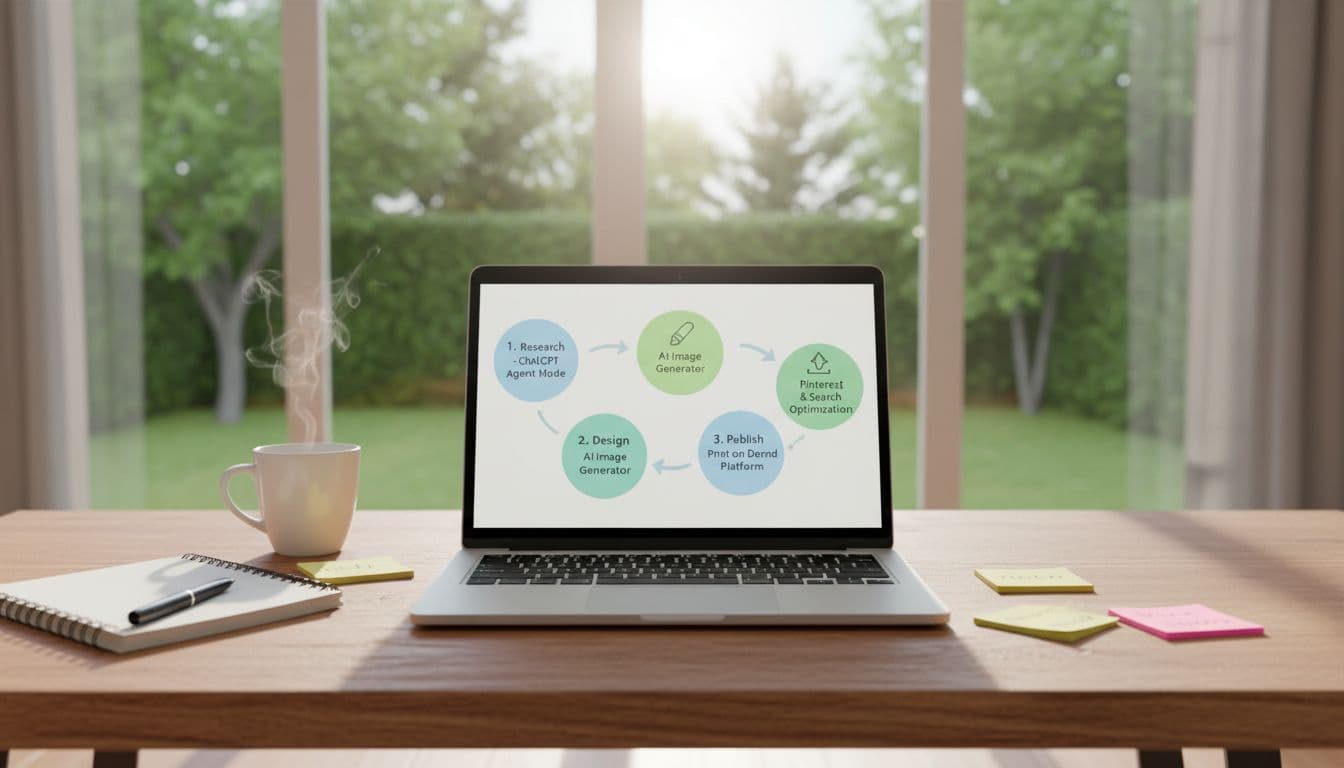 A simple “research to launch” workflow you can finish in a day, created with AI.
Make product photos people trust, even if you never touch the product
Basic mockups can work, but some look obviously fake. When that happens, trust drops. And once trust drops, price becomes the only thing you compete on, which is a bad place to live.
Aim for 4 to 6 listing images total. Start with one clean “hero” image on a neutral background. Then add one lifestyle image, like a person wearing the hoodie in a normal setting (coffee shop, couch, casual walk). Add a close-up crop that shows texture or embroidery feel. Add a simple size or color options image if your platform supports it.
Watch for common AI image mistakes: weird hands, warped sleeves, shadows that don’t match, and unreadable text. If something looks off, simplify the scene and re-generate. Simple scenes fix a lot of problems. Also, don’t force the model to render paragraphs of text. Keep it minimal.
Launch with $0 using print on demand, then get your first traffic
This is the part that makes the “$0” claim real. With print on demand, you’re not buying 50 hoodies upfront. You publish the listing, and when a customer buys, the supplier prints and ships. You pay production after the sale, not before. That’s the whole point.
The basic publish flow is simple:
You choose a product, upload your design, and fit it inside the print area. You preview mockups carefully (seriously, this saves you from angry messages later). You select colors and sizes. Then you write the title and description. Many platforms now include AI writing help for product pages, which is great as a starting draft, but still do a human edit so it doesn’t sound robotic.
You can publish to marketplaces like Etsy or to your own store. If you want an Etsy-specific prompt approach, Rachel Rofé has a solid breakdown: ChatGPT prompts for Etsy tags and titles.
Pricing and profit that makes sense for beginners
The math is simple, but people still mess it up.
Retail price minus production cost equals profit, then subtract platform fees, payment fees, and refunds. So your “profit” needs a buffer. Don’t price so tight that one return wipes out five sales.
Also, use clean price endings. People trust familiar pricing. Round numbers and common endings look normal. Weird pricing looks like you didn’t mean it.
If you’re brand-new, start with one flagship product and get it right. Then add 2 to 3 variations based on what buyers respond to, like colorways, slightly different slogans, or a second animal character. Going wide too early feels productive, but it’s mostly just noise.
Three beginner-friendly marketing moves that work right now
First, optimize your listing so it can be found. That includes normal search on the marketplace, and also “answer-style” discovery where AI tools suggest products inside chat experiences. Some people call this AEO, answer engine optimization. The point is simple: write titles and descriptions that match real buyer questions, not keyword soup.
Second, improve images before you touch anything else. Better images often beat better copy, because images earn the click. Fix your hero shot, add one believable lifestyle image, and keep the overall look consistent.
Third, use Pinterest like a quiet little traffic engine. It’s a visual search platform, and pins can keep sending clicks for months. In your first week, create pins for different listing angles, gift angle, funny angle, minimalist angle, seasonal angle. Then update titles and images based on what gets saves and clicks.
If you want other AI business directions beyond print on demand, this internal roundup is a quick way to expand your options: Beginner‑friendly AI startups for this year.
What I learned building a one-person AI business this way (the honest part)
The hardest part wasn’t making the design. It was choosing what to build. I kept wanting the agent to hand me “the winner,” like one magic product that can’t fail. That product doesn’t exist, and honestly, chasing it makes you slow.
Once I started treating the research like guardrails, things got easier. The agent’s real value was speed. It cut out hours of scrolling and second-guessing, then gave me something I could act on the same day.
My first few designs were… not great. They looked fine in isolation, but next to real listings they felt flat. The fix wasn’t more complexity, it was clearer concepts and better images. One clean design with a strong hook beats five messy ones.
The preview step inside the print on demand editor saved me from mistakes more than once. It’s boring, but it’s where you catch the off-center placement, the weird cropping, the design that’s too small. Skipping preview is how people earn bad reviews fast.
I also learned that simple beats fancy when you’re moving quickly. A plain workflow you repeat is better than a “perfect” setup you never finish. Speed came from limiting choices: one niche, one product type, one listing, done.
And yeah, prompts mattered less than I expected. The big difference was consistency. A few focused reps each week beat one giant weekend sprint where you burn out and disappear.
Conclusion
This workflow is simple on purpose: research with ChatGPT Agent Mode, create original designs and trustworthy images, publish with print on demand, then drive traffic with listing optimization, stronger images, and Pinterest. That’s a real starter AI Business, not a theory.
Pick one niche, one product, one listing, and ship it today. Save your steps, then re-run research once a month because trends shift fast, and your next best idea might be hiding in the next report.